Whenever a process is created in memory, an event with Event ID 1 is recorded with details such as command line, hashes, process path, parent process path, etc. This information is very useful for an analyst because it allows us to see all programs executed on a system, which means we can spot any malicious processes being executed. What is the malicious process that infected the victim’s system?
Which Cloud drive was used to distribute the malware?
dropbox
For many of the files it wrote to disk, the initial malicious file used a defense evasion technique called Time Stomping, where the file creation date is changed to make it appear older and blend in with other files. What was the timestamp changed to for the PDF file?
2024-01-14 08:10:06
The malicious file dropped a few files on disk. Where was “once.cmd” created on disk? Please answer with the full path along with the filename.
C:\Users\CyberJunkie\AppData\Roaming\Photo and Fax Vn\Photo and vn 1.1.2\install\F97891C\WindowsVolume\Games\once.cmd
The malicious file attempted to reach a dummy domain, most likely to check the internet connection status. What domain name did it try to connect to?
I was also able to find a MD5 hash associated with the file:
32F35B78A3DC5949CE3C99F2981DEF6B
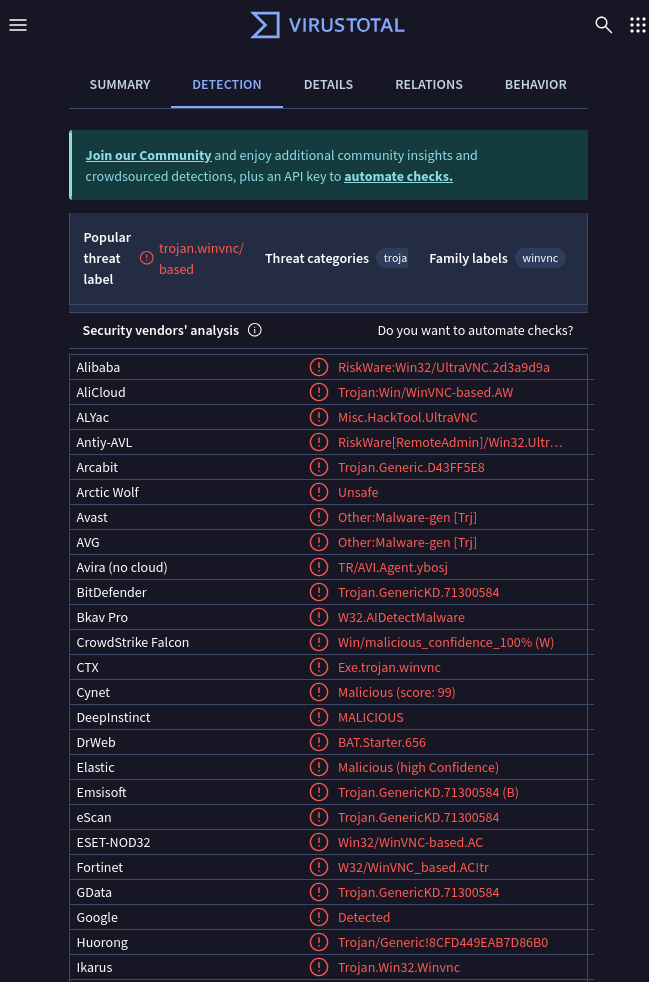
VirusTotal was able to confirm that the file is indeed malware
Next, we need to find the name of the cloud service that was hosting this file
Sysmon has Event ID 22 represent DNS events, so let’s filter out for that
Looking at the 3 events, we are able to pull out that Dropbox was used for this
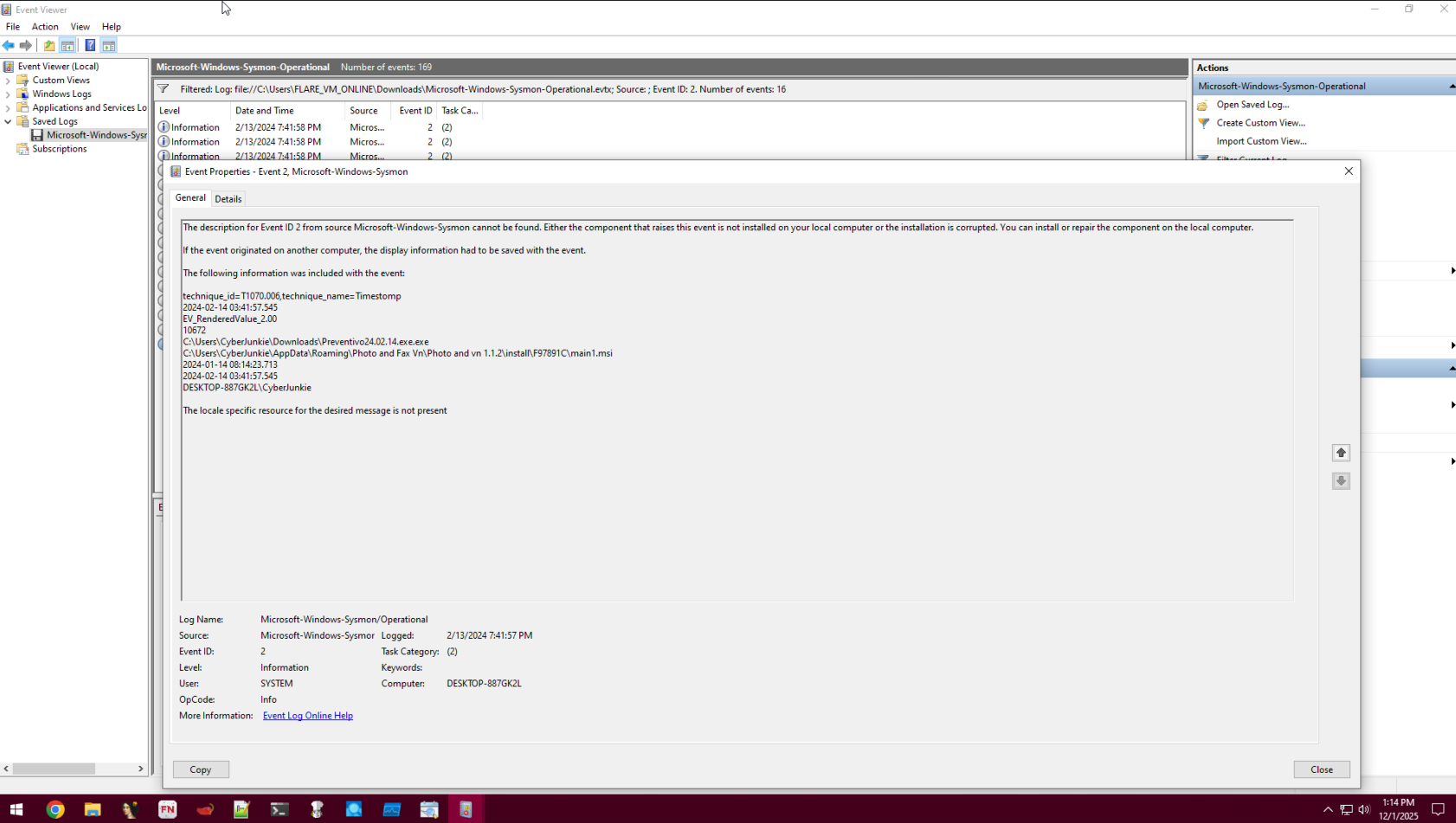
We are now given that TIme Stomping was used in this attack, in which the file creation update was modified to blend in with other files on the machine.
We need to get that timestamp, which we can do by filtering for Event 2, which involves any file creation
We can find that the timestamp is 2024-01-14 08:10:06
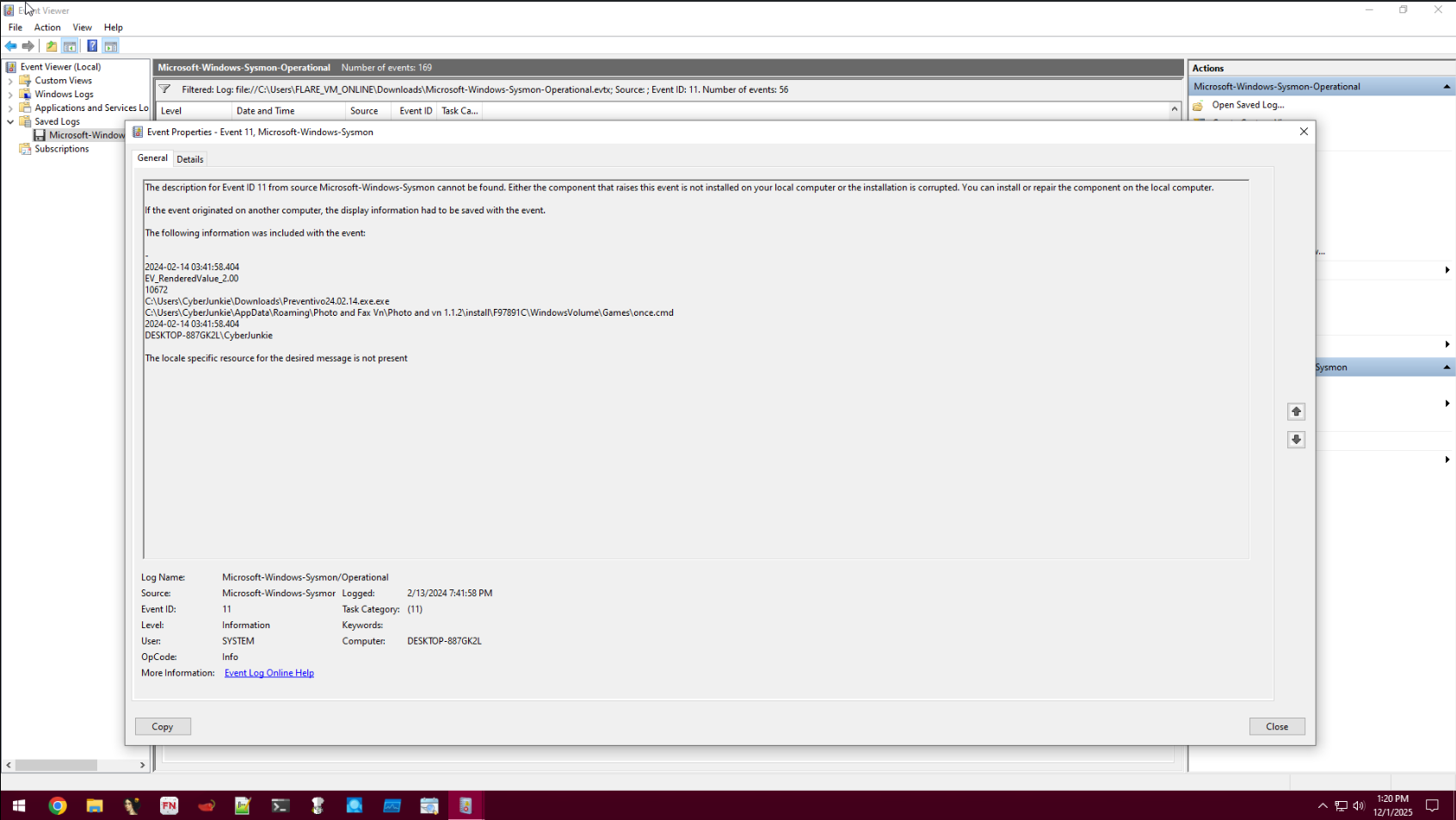
Now, we need to find where the file once.cmd was created
Now, let’s go back to the Event 11 logs
We are able to find the paths in question
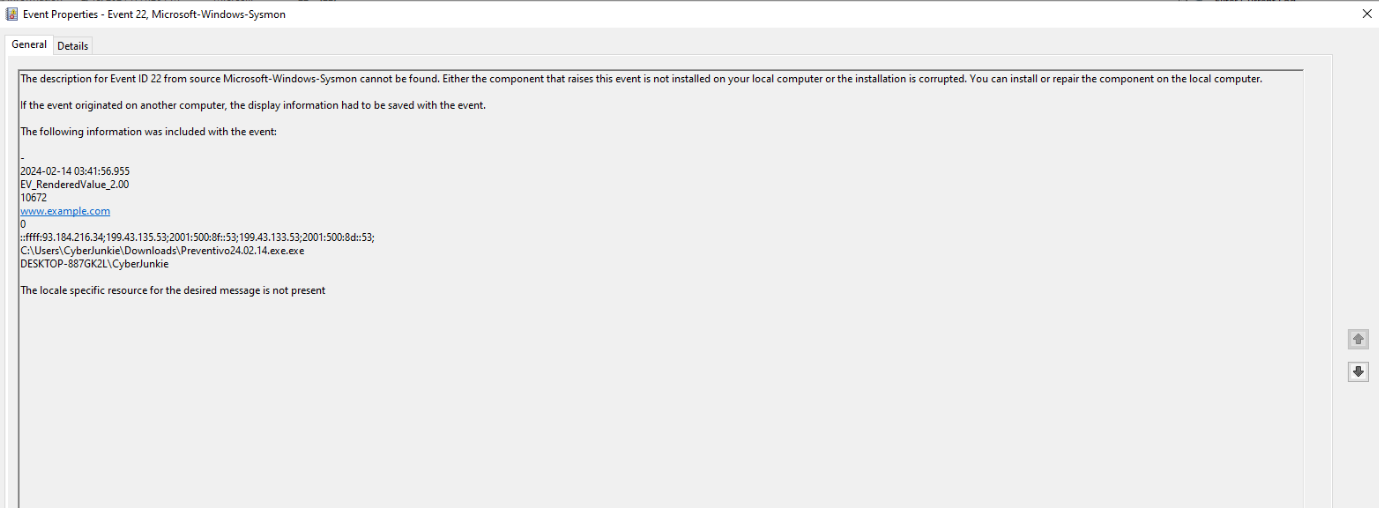
Now, we need to find the domain name that was connected to
So, back to filtering for Event 22 logs again
We are able to find what we need!
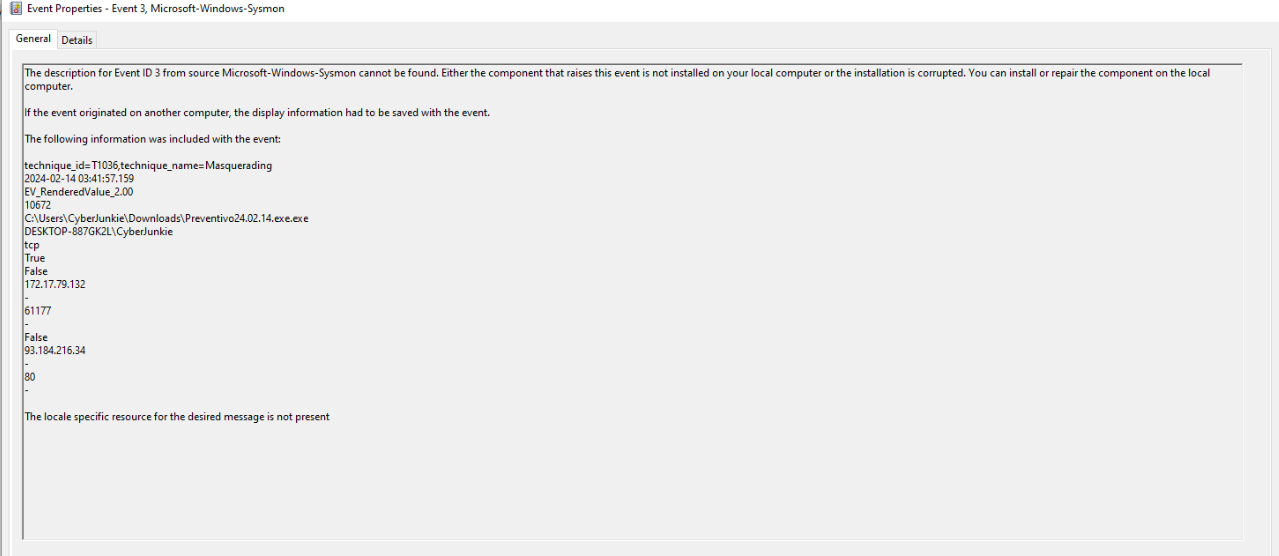
We now need to find an IP address the malicious process try to reach out to.
So, we need to filter for events with an ID of 3, in which we are able to find what we are looking for
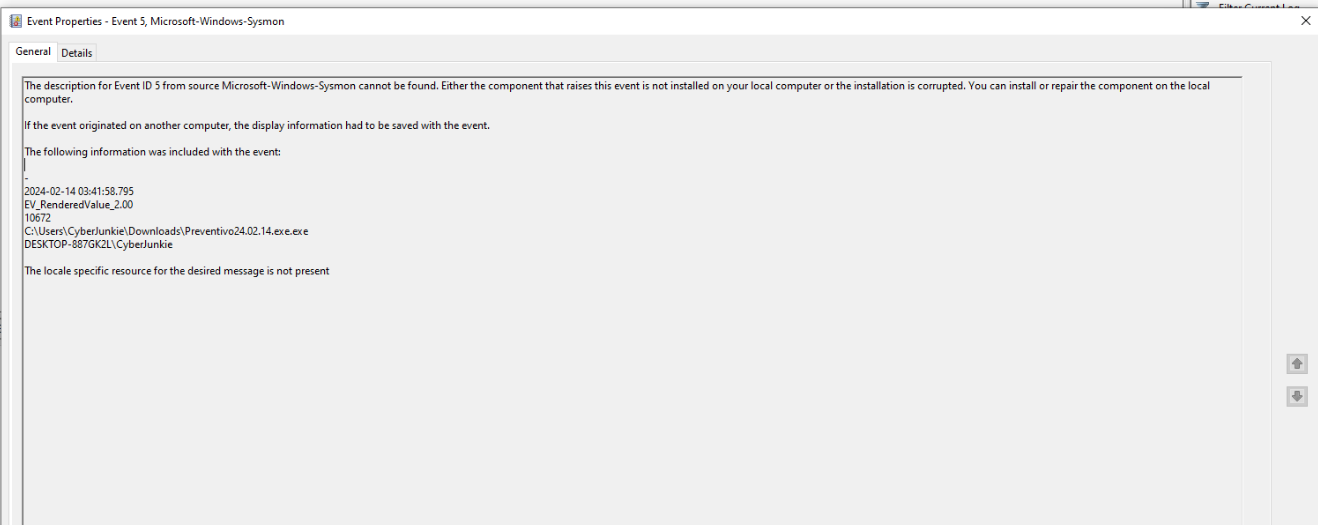
Finally, we need to find the last timestamp.
We can do this by filtering for event ID 5 events, in which we have one event. This gives us everything else we need to finish off the sherlock.